


Why Tech Startups Must Choose the Right CAD Software from the Start 🚀 ?
For any technology startup, selecting the right CAD software is more than a technical choice—it is a strategic investment shaping the product’s future. Underlying every innovative invention is a core technology that requires precise engineering to ensure manufacturing efficiency, cost management, and scalability as the business grows. Yet precision engineering alone is not enough. A successful product also needs an attractive, functional exterior design that embodies the brand, appeals to customers, and integrates smoothly with its features.
The right CAD platform empowers startups to:
- Create accurate, production-ready designs that reduce errors and material waste.
- Design visually compelling forms that enhance user appeal.
- Streamline the journey from concept to manufacturing, improving speed and reliability.
In essence, smart CAD software choices help startups align function, form, and manufacturability, laying the foundation for innovation and commercial success.
Challenges Faced by GlobalTech Startups in Choosing CAD Software
Tech startups worldwide confront key challenges when selecting CAD software:
- High costs: Expensive licenses, maintenance fees, and hardware requirements.
- File compatibility issues: Format mismatches cause data loss and repeated rework.
- Steep learning curve: Complex software slows onboarding for design teams.
- Poor version control: Risks of data loss and overwritten files disrupt timelines.
- Data fragmentation: Scattered information hampers efficient management.
- Scalability and integration: Software must grow with the business and connect with PLM/PDM/ERP systems.
- Remote collaboration: Real-time teamwork capabilities are essential for distributed teams.
- Skill alignment: Matching software usability with team expertise is critical.
- Trial before purchase: Testing software ensures suitability and performance.
Addressing these challenges enables startups to select CAD solutions fitting their budget, skills, and goals—accelerating innovation and avoiding costly delays.
CAD Software Options Compared for Startups :
| Software | Advantages | Disadvantages | Suitability for Startups |
| Fusion 360 (Autodesk) | Affordable with free startup licenses; cloud-based CAD/CAM/CAE integration; real-time collaboration and version control; built-in simulation and rendering; seamless design-to-manufacturing workflow | Requires stable internet; limited offline use; occasional crashes; frequent updates; learning curve | Ideal for startups seeking cost-effective cloud CAD with team collaboration and complete workflows |
| PTC Onshape | Pure cloud CAD access—no installation; real-time multi-user collaboration; built-in version control and product data management (PDM); device independent; free startup licenses; integrated simulation and manufacturing tools | Subscription costs can be high for small startups; full internet dependency; limited advanced surface modeling | Perfect for distributed teams needing seamless real-time collaboration and integrated product data management |
| SolidWorks | Industry-standard with extensive 3D modeling and simulation; large user community; customizable; excels on large assemblies; proven manufacturing and prototyping tool; startup licenses available | High license and hardware costs; steep learning curve; may crash on complex assemblies; varied support quality | Best suited for startups with resources for complex designs and long-term growth |
| Rhino 3D | Flexible and easy to use; versatile across design disciplines; one-time license; excellent surface modeling and parametrics with plugins; great rapid prototyping and 3D printing | Large storage footprint; limited native rendering requiring plugins; incomplete 2D drafting; more manual workflows; not ideal for parametric or mesh editing | Suitable for startups focused on surface modeling, multidisciplinary design, and cost-effective rapid prototyping |
PSH Design Team’s Viewpoint :
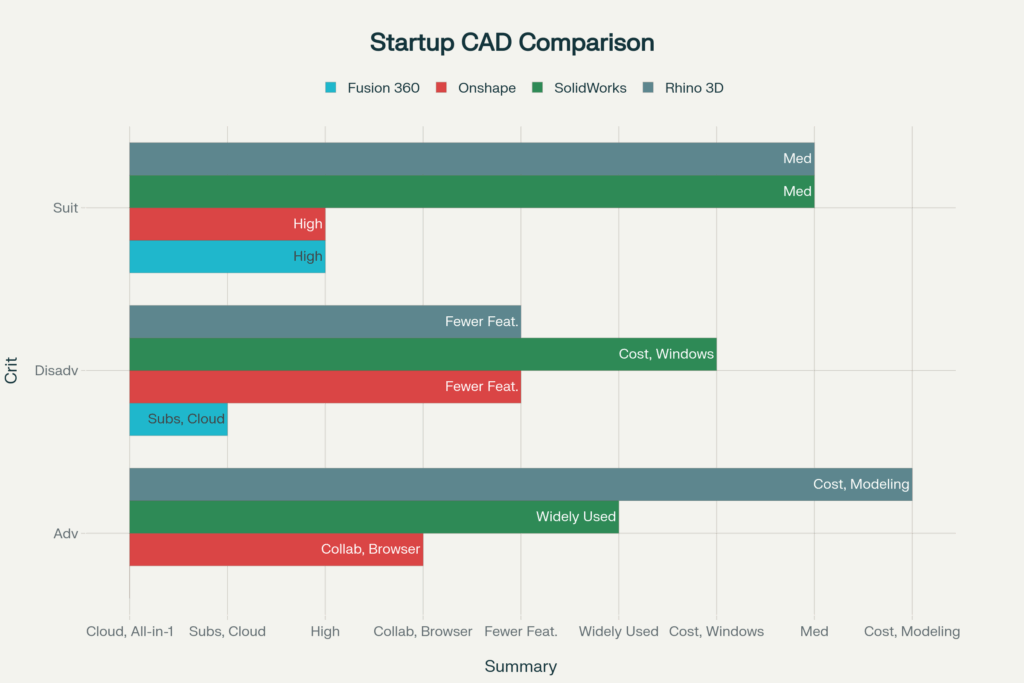
- Fusion 360 : Affordable, cloud-integrated CAD/CAM/CAE with real-time collaboration—best for startups wanting cost-effective, seamless workflows.
- PTC Onshape : True cloud CAD with flawless multi-user collaboration and integrated product data management, ideal for distributed teams.
- SolidWorks: Powerful, industry-leading tool for complex projects—optimal for startups with significant investment capacity.
- Rhino 3D: Flexible, easy-to-learn surface modeling with one-time license, perfect for rapid prototyping and diverse design fields.
Summary: Fusion 360 and Onshape are outstanding cloud-based options for collaborative startup teams. SolidWorks excels for high-precision industrial projects, while Rhino 3D shines in creative surface modeling with cost-effective licensing.
After Choosing the Right CAD Software , what next ? Outsource or In-House?
Outsourcing CAD Design
- Instant access to CAD and reverse engineering experts.
- Reduced costs—no licenses, hardware, or hiring overhead.
- Faster time-to-market enabled by professional workflows.
- Allows the startup team to focus on core innovation.
In-House CAD Design
- Greater control over design and fast iteration.
- Enhanced IP protection.
- Builds long-term internal design capabilities.
Startup Tip: If CAD expertise is limited or cost and speed are priorities, outsourcing (e.g., with PSH Design) is ideal. Startups often begin outsourced to gain speed and quality, then develop in-house teams later.
Benefits of Outsourcing CAD Design with PSH Design :
Outsourcing CAD design early helps tech startups cut costs, accelerate development, and launch faster. PSH Design clients benefit from high-precision, manufacturing-ready CAD models without the burden of in-house team building.
Key Benefits:
- Access to CAD and reverse engineering experts using top platforms like Fusion 360, Onshape, SolidWorks, CATIA, NX.
- Cost-effective—pay only for required services, avoid overhead.
- Faster prototyping and iteration using optimized workflows.
- Focus internal resources on core technology while experts handle product design.
- Manufacturing-optimized designs reduce errors, revisions, and ensure CAD format compatibility.
Problems Solved:
- Bridges skill gaps without lengthy training.
- Minimizes costly production inefficiencies.
- Enhances collaboration with version control and multi-format CAD output.
- Scales design resources in line with business growth.
PSH Design offers tailored CAD outsourcing and reverse engineering services that align function, form, and manufacturability—helping startups bring products to market faster and with higher quality. Contact us for a free trial project at the link: https://pshdesign.com/rfq-free-test-project/
( PSH Desgin Team )
